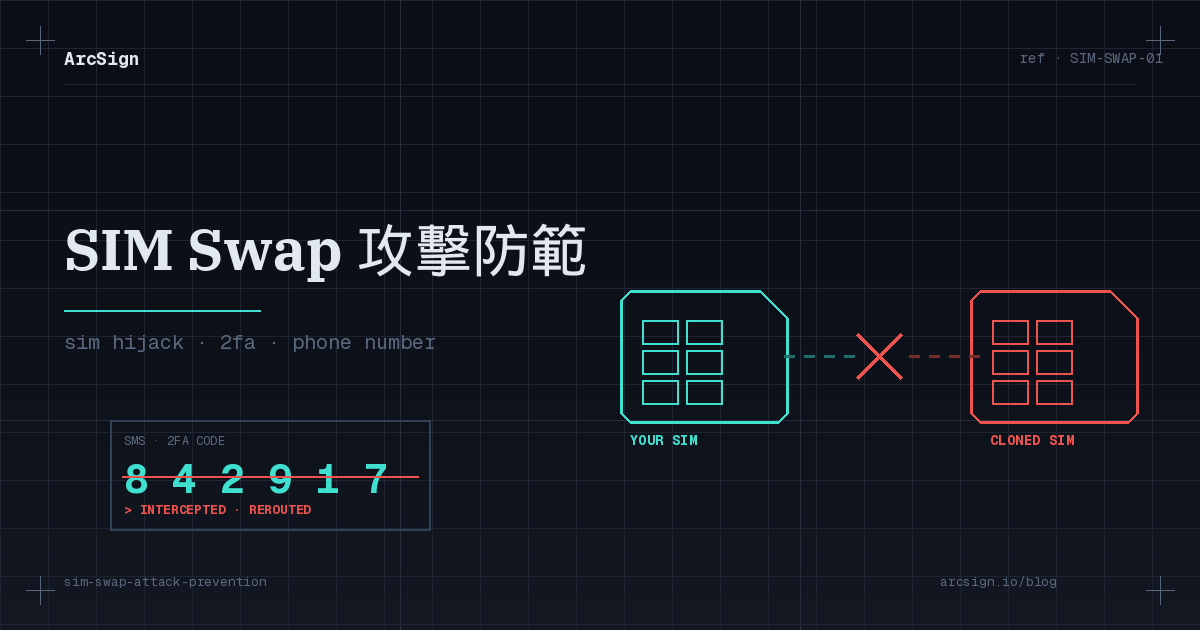
What is a SIM Swap attack, exactly?
SIM Swap (also called SIM hijacking or port-out fraud) is a social-engineering attack that requires almost no technical skill. Attackers don’t need to hack your laptop, crack your password, or phish you personally. All they need is to convince your mobile carrier’s customer service rep that they are you — and have your phone number transferred to a SIM card they control. The moment it works, your phone’s signal drops and their phone starts receiving every text, call, and verification code meant for you.
The reason it’s so devastating is that it cleanly bypasses the defense layer most crypto users still rely on: SMS-based two-factor authentication. Most exchanges, email providers, and Google accounts still allow password resets using an SMS code. With your phone number plus a few publicly-available details, an attacker can domino their way through your entire digital identity in under an hour.
Core truth
The SIM Swap attack surface is not on your side. You can use the strongest password, a brand-new phone, and the most secure network — and it won’t matter if the carrier’s support agent gets socially engineered once. This is an attack you largely cannot prevent with personal device hygiene.
Anatomy of a SIM Swap: the full attack flow
Understanding how attackers execute is the only way to find real defense points. A typical SIM Swap unfolds in four stages:
1. Intelligence gathering (OSINT)
Attackers assemble target profiles from LinkedIn, Twitter, leaked databases, and public on-chain addresses — name, birthday, phone number, last-four-of-ID, schools attended, common email, sometimes home address. A wallet address that was once flexed on Twitter as “holding 100 ETH” lands squarely on a target list.
2. Social-engineering the carrier
The attacker calls or walks into a store claiming “I lost my phone, I need a replacement SIM.” They answer identity questions using the data they collected. In several public cases, attackers have outright bribed insider carrier employees to complete the port — T-Mobile faced multiple scandals between 2017 and 2022 involving employees helping execute SIM Swaps.
3. Identity takeover
Once the port succeeds, the attacker uses “Forgot Password” flows on Gmail, Apple ID, and exchange accounts. Every password-reset email, verification code, and 2FA SMS is delivered straight to their new SIM. The full takeover typically completes in under 30 minutes.
4. Asset extraction and laundering
The attacker logs into the exchange and withdraws all crypto to an external wallet. To evade tracing, funds pass through mixers, cross-chain bridges, and multiple DEX swaps. In the worst documented cases, the total elapsed time from port-out to funds-untraceable is about 45 minutes.
Why crypto users are the highest-value target
A hijacked bank account has banks, fraud teams, 24-hour freeze mechanisms, and legal reversal options. Crypto has three properties that make it the perfect target:
Irreversible: once a transaction hits the chain, there’s no “undo.” Pseudonymous: funds can be chain-hopped, mixed, and re-hopped within minutes — enforcement costs skyrocket. High concentration: a single wallet often holds hundreds of thousands to millions of dollars, far more than the average bank balance per victim.
The US FBI’s IC3 reports that SIM Swap–related crypto losses between 2021 and 2023 exceeded $1 billion, and the real number is almost certainly higher because many victims never report out of embarrassment.
Real cases: from Michael Terpin to local victims
SIM Swap isn’t a theoretical threat — it’s a daily occurrence.
Case 1: Michael Terpin (USA)
In January 2018, crypto investor Michael Terpin lost approximately $24M in crypto after being SIM Swapped. The investigation traced the port-out to an AT&T insider. Terpin later sued AT&T and, in 2023, a jury awarded him $25.7M — the first landmark ruling holding a mobile carrier financially responsible for SIM Swap negligence in a crypto context.
Case 2: T-Mobile class actions (2020-2022)
Multiple class-action lawsuits alleged that T-Mobile failed to take reasonable steps to prevent SIM Swaps, costing plaintiffs millions in aggregate crypto losses. Discovery documents revealed that internal identity-verification procedures could be bypassed with basic pretexting.
Case 3: Asia-Pacific local incidents
While Taiwan and much of Asia-Pacific lack the volume of public judgments seen in the US, local fraud rings began adopting the technique around 2022. The typical pattern combines phishing SMS (to harvest personal data) with counterfeit ID documents (used to request a replacement SIM at a retail store). Targets are often retail traders who displayed large crypto holdings on Telegram channels or Twitter. With the legal framework still maturing, recovery is largely limited to administrative remedies against carriers — the crypto itself is almost never returned.
7 warning signs you’re being targeted
Before a SIM Swap executes, attackers usually leave observable traces. If you see any of these, escalate immediately:
| Warning sign | What it likely means | What to do |
|---|---|---|
| Your phone suddenly has no signal | SIM may already be deactivated remotely | Use Wi-Fi to contact carrier immediately |
| Unexpected password reset notifications | Attacker is probing | Rotate all passwords, check login history |
| Unexpected replacement-SIM fee on bill | Port-out may have already happened | File dispute, demand account freeze |
| Strangers adding you to ask for personal info | OSINT in progress | Decline to answer, report the account |
| Email “SMS carrier notification” | Likely a phishing attempt | Don’t click, verify via official app |
| Unexpected exchange login notifications | Attack may be in progress | Log out all devices, rotate password |
| Being photographed or followed in public | Physical target acquisition | Reduce crypto-wealth displays, report |
7 battle-tested defense strategies
1. Turn off SMS 2FA — move to TOTP or FIDO2
In the security settings of every exchange, email, and cloud service, remove SMS verification. Switch to Google Authenticator / Aegis / 1Password TOTP, or ideally YubiKey / FIDO2 security keys. TOTP binds the second factor to a device, not to your phone number — SIM Swap cannot retrieve it.
2. Set a carrier PIN or port-out lock
All major US carriers (Verizon, AT&T, T-Mobile) and most international carriers let you set a “carrier PIN” or an explicit “number transfer lock.” Some offer stronger options like “replacement SIM requires in-person photo ID.” Spending 5 minutes on a support call blocks the vast majority of social-engineering attempts.
3. Use a dedicated “crypto-only” email
Create a brand-new email address, never shared publicly, never linked to a phone number, and use it only for exchanges, wallets, and DeFi. Lock it down with a FIDO2 key as 2FA. ProtonMail, Tutanota, or a clean Gmail all work — the point is strict separation from your public identity.
4. Stop broadcasting your crypto net worth
Roughly 90% of SIM Swap targets are selected from Twitter posts like “just bought 100 ETH” or “up $100k this week.” Shift your posting habits to “teach the lesson, not the number.” Removing yourself from the public target list is the single cheapest defensive move.
5. Move long-term holdings off exchanges and into cold storage
The ultimate defense: don’t keep the eggs in an exchange basket. Exchanges are the #1 victim surface for SIM Swap because they allow email + SMS-based password resets. Move long-term holdings to a USB cold wallet like ArcSign. Even if the attacker gets full control of your exchange account, they cannot sign transactions out of your cold wallet.
6. Audit account recovery paths quarterly
Every three months, log into Gmail, Apple ID, and each exchange’s security settings. Check “backup phone,” “trusted devices,” and “app passwords” for anything you didn’t add. Some attackers plant latent backdoors after a successful takeover and harvest months later.
7. Enable withdrawal delay + address whitelist
Major exchanges (Binance, OKX, Coinbase) support “whitelist + 24-72h withdrawal delay.” Even if your account is compromised, funds can’t leave until the delay expires — giving you time to detect and freeze. Combine with push notifications for sub-minute reaction time.
SMS vs TOTP vs FIDO2: which 2FA actually holds up?
Not all “two-factor authentication” provides the same protection. Here’s how the common 2FA methods perform under SIM Swap pressure:
| 2FA type | Example | SIM Swap defense | Phishing defense | Convenience |
|---|---|---|---|---|
| SMS code | Exchange default | ✗ Completely defeated | ✗ Phishable | ✓ Easiest |
| TOTP authenticator app | Google Authenticator, Aegis | ✓ Immune | △ Live-phishable | ✓ Convenient |
| Push approval | Duo Mobile, Authy Push | ✓ Immune | △ MFA fatigue attacks | ✓ Most intuitive |
| FIDO2 hardware key | YubiKey, SoloKey | ✓ Immune | ✓ Immune (domain-bound) | △ Requires carrying key |
| Passkey (OS-native) | iCloud Keychain, Android Passkey | ✓ Immune | ✓ Immune | ✓ Seamless |
Recommendation
For high-value accounts (exchanges, primary email), use TOTP at minimum; ideally FIDO2 hardware key + TOTP backup. Remove SMS 2FA entirely, even if the exchange still allows it.
Why ArcSign cold wallets are structurally immune
The root cause of SIM Swap’s damage is that your digital identity is over-reliant on a single centralized authority — the mobile carrier. Crypto was designed on exactly the opposite premise: don’t trust any one authority. Cold wallets take this to the limit. In ArcSign’s architecture, your phone number simply does not exist in the authentication flow:
| Auth step | Exchange account | ArcSign cold wallet |
|---|---|---|
| Login | Email + password (SMS-resettable) | Physical USB + local password |
| 2FA | SMS / TOTP | None needed — USB is the physical factor |
| Account recovery | Email + SMS verification | 12-word mnemonic + encrypted .arcsign backup |
| Fund withdrawal | Dependent on centralized servers | Local signing, private key never leaves USB |
ArcSign splits the private key using XOR three-shard encryption, then encrypts each shard with AES-256-GCM + Argon2id, and stores it only on the USB device. During signing, the key is briefly reconstructed in mlock-protected memory for 1-5 milliseconds and then zeroed. Even if an attacker owns every phone number and every email you’ve ever used, they cannot produce a signature for your wallet — because the key physically isn’t where they can reach it.
If you want the deeper mechanics, see XOR Three-Shard Encryption Explained; for the broader philosophy, see Zero Trust Architecture in Crypto Wallets.
Architectural difference
Exchanges protect account access. Cold wallets protect key ownership. SIM Swap can take the former; it cannot take the latter. This is why “not your keys, not your coins” matters even more in the SIM Swap era.
If it happens: the golden 30-minute playbook
Time is everything during a SIM Swap incident. From the moment your phone loses signal (or you receive an unexpected password-reset notification), you have roughly 30 minutes before losses lock in:
1. Minutes 0-5: Freeze the carrier account
Use Wi-Fi calling or a secondary line to reach your carrier. Demand an immediate “freeze all SIM changes” and open an internal investigation. This is the only way to stop the number from being manipulated further.
2. Minutes 5-15: Lock every high-value account
From a trusted laptop or tablet, log into: Gmail, Apple ID, every exchange. Rotate passwords, log out all devices, disable API keys, and trigger “emergency account lock” where supported (Binance, OKX, Coinbase all provide this). At this moment, time equals money.
3. Minutes 15-25: Report and collect evidence
File a police report, request a written record from your carrier, screenshot every unusual notification. These artifacts are the foundation of any later civil recovery action. If assets have already been withdrawn, contact the exchange’s risk desk — most major exchanges will attempt to freeze suspicious receiving accounts if you provide a case number quickly enough.
4. Minutes 25-30: Build the long-term fix
Move remaining assets from exchanges to cold storage. Re-enable high-strength 2FA (TOTP + FIDO2) across every account. Consider changing your phone number and carrier, setting up a crypto-only email. Treat this incident as the forcing function for an architecture upgrade.
FAQ
Q: What is a SIM Swap attack and how is it different from hacking?
A SIM Swap is an attack where someone convinces your mobile carrier to transfer your phone number to a SIM they control. Every SMS code, call, and account recovery link is then routed to them. Unlike traditional hacking, SIM Swap doesn’t require compromising your device — the attack surface is entirely at the carrier’s support desk, which is why even the most secure personal setup doesn’t defend against it directly.
Q: Why is SMS two-factor authentication considered insecure?
SMS is 1980s-era technology that was never designed for modern security. Carriers can manually transfer numbers, the SS7 protocol has well-known vulnerabilities, and SMS is transmitted unencrypted. Crucially, once an attacker owns your number, they can reset exchange passwords and 2FA via SMS. The US NIST has advised against SMS as 2FA since 2016.
Q: Can I recover crypto assets stolen through a SIM Swap?
In practice, almost never. On-chain transactions are final — recovery depends on the exchange cooperating and freezing funds before the attacker launders them. Some victims have won civil cases against carriers (Terpin v. AT&T was awarded $25.7M in 2023), but these judgments are for carrier negligence, not actual recovery of the crypto. Prevention is vastly cheaper than remediation.
Q: Does using an ArcSign cold wallet make me fully immune to SIM Swap?
Yes — for the assets held in the wallet itself. ArcSign’s private key never leaves the USB device and does not depend on your phone number for any authentication. But if you still keep funds on an exchange that uses SMS 2FA, that portion remains exposed. Best practice: move long-term holdings from exchanges to ArcSign, and switch all remaining accounts (carrier, email, exchange) to FIDO2 keys or TOTP apps.