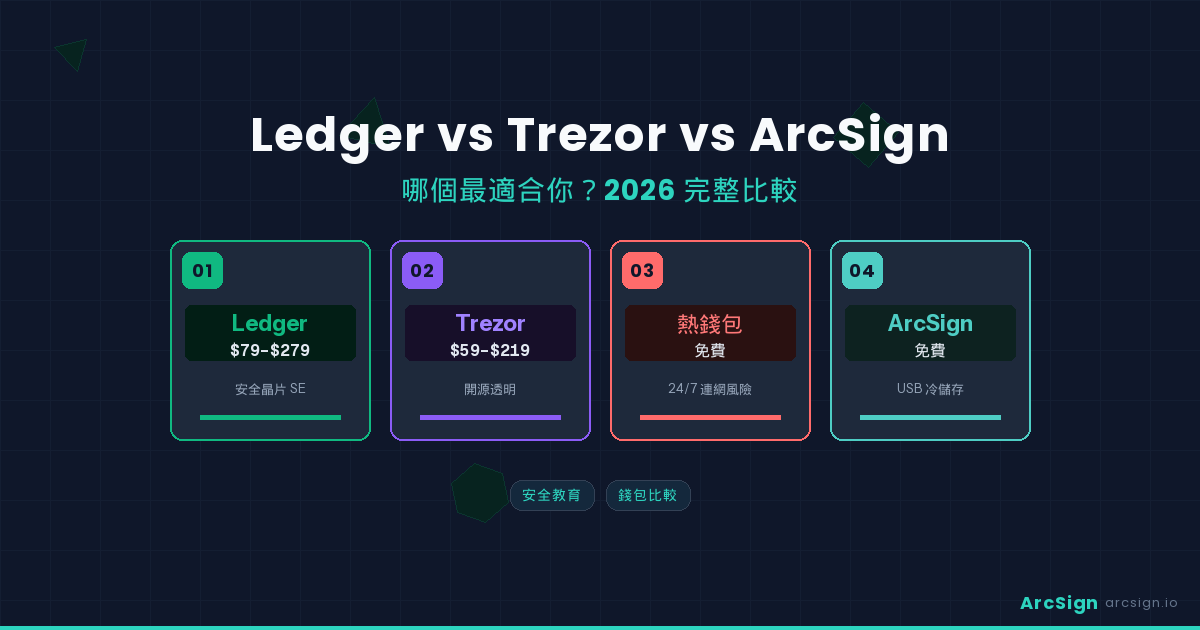
Why You Need This Comparison
Choosing a cold wallet is one of the most important decisions for protecting your crypto assets. Ledger and Trezor are the two most recognized brands, commanding over 80% of the hardware wallet market. But in 2026, a new option is emerging: ArcSign — a free cold wallet that runs on your own USB drive.
These three wallets represent three fundamentally different security philosophies. Ledger trusts hardware Secure Elements, Trezor champions open-source transparency, and ArcSign Proves that top-tier security doesn’t require specialized hardware. This article analyzes all three across 10 dimensions to help you find the best fit.
Disclosure
This article is written by the ArcSign team, but we are committed to providing objective, factual comparisons. Every product has strengths and weaknesses — the best choice depends on your needs and use case. All technical claims can be verified in each product’s official documentation.
Three Wallets in a Nutshell
Ledger (Founded 2014, France)
The world’s highest market-share hardware wallet brand. Its core technology is a Secure Element (SE) chip — the same grade used in bank cards and passports to isolate private keys. Product line ranges from the entry-level Nano S Plus ($79 USD) to the flagship Stax ($279 USD). In 2023, the launch of Ledger Recover cloud backup service sparked significant community controversy.
Trezor (Founded 2014, Czech Republic)
The world’s first mass-produced hardware wallet. Its core principle is complete open source — firmware, hardware design, and server code are all publicly auditable. Uses a general-purpose microcontroller (not a Secure Element), meaning security relies entirely on software design. Products include Trezor Model One ($69 USD) and Model T/Safe ($179-$219 USD).
ArcSign (Founded 2025, Taiwan)
A completely new concept in USB cold wallets. No specialized hardware required — use your own USB drive. Core technologies include XOR 3-shard encryption + mlock memory protection + AES-256 encrypted backups (.arcsign backup files). A completely free desktop application supporting Windows / macOS / Linux.
Security Architecture: Three Entirely Different Strategies
Ledger: Hardware Secure Element Isolation
Ledger’s security core is a CC EAL5+ certified Secure Element chip. Private keys are generated, stored, and used inside the chip, theoretically never leaving it. This architecture’s strength is that even if the device’s operating system is compromised, attackers cannot directly read the private keys inside the Secure Element.
However, this architecture has a fundamental issue: you must fully trust Ledger’s chip manufacturer and firmware. The Secure Element firmware is closed-source and cannot be independently audited. The 2023 Ledger Recover incident revealed that firmware updates can allow private keys to leave the Secure Element — contradicting the “keys never leave the device” promise. (See Ledger Recover Controversy Analysis)
Trezor: Open-Source Transparency + General-Purpose Chips
Trezor chose a completely different path — abandoning Secure Elements in favor of open source. All code is publicly auditable, and anyone can verify the firmware’s security. Using a general-purpose microcontroller (STM32) means no closed-source firmware black box.
The trade-off: general-purpose chips lack hardware-level tamper protection. If an attacker gains physical access to your Trezor, they can theoretically extract private keys through voltage glitching and similar attacks. Trezor mitigates this with PIN codes and passphrases, but physical attacks remain a known threat vector.
ArcSign: Software-Layer Encryption + Zero-Trust Hardware
ArcSign takes a third path: security comes entirely from software encryption architecture, with no dependency on specific hardware. Core technologies include:
1. XOR 3-Shard Encryption
Private keys are split into three shards, each individually appearing as meaningless random data. Only all three shards combined can reconstruct the original key. This is backed by information-theoretic mathematical guarantees — impossible to brute force. (See XOR 3-Shard Encryption Explained)
2. mlock Memory Protection
During signing, private keys are briefly reconstructed in protected memory for only 1-5 milliseconds, then immediately destroyed. mlock ensures this memory is never swapped to disk. (See mlock Memory Protection)
3. AES-256-GCM Encrypted Storage
Each shard on the USB is encrypted with AES-256-GCM. Even if someone obtains your USB, they only see encrypted random data.
ArcSign’s architecture’s greatest advantage is completely eliminating supply chain risk. You don’t need to trust any hardware manufacturer — the USB drive is merely a storage medium, and security comes from mathematics, not hardware.
Price & Barrier to Entry
| Item | Ledger | Trezor | ArcSign |
|---|---|---|---|
| Entry Price | ~$79 USD (Nano S Plus) | ~$69 USD (Model One) | Free (use your own USB) |
| Flagship Price | ~$279 USD (Stax) | ~$219 USD (Safe 5) | Free |
| Shipping | $10-25 USD (international) | $10-25 USD (international) | None (digital download) |
| Wait Time | 7-21 days international | 7-21 days international | Immediate |
| Additional Hardware | Not needed | Not needed | USB drive (you probably already have one) |
Cost Calculation
For international users: a Ledger Nano X costs $149 USD plus $10-25 shipping, with a 2-3 week wait. ArcSign takes just 10 minutes from download to full setup, at zero cost. If you already have a USB drive, you can start today.
Chain Support & Features
| Feature | Ledger | Trezor | ArcSign |
|---|---|---|---|
| Supported Blockchains | 5,500+ tokens | 1,200+ tokens | 7 EVM chains |
| BTC Support | ✓ | ✓ | ✗ (EVM only) |
| EVM Chains | ✓ Most EVM | ✓ Major EVM | ✓ 7 major EVM chains |
| Built-in DEX Swap | ✓ Paraswap | ✓ 1inch | ✓ OpenOcean + KyberSwap |
| WalletConnect | ✓ | ✓ | ✓ v2 |
| NFT Display | ✓ | Limited | ✓ Cross-chain NFT Gallery |
| Token Approval Management | ✗ | ✗ | ✓ View + Revoke |
| DeFi Position Tracking | ✗ | ✗ | ✓ Real-time APY |
| Cross-Platform | Desktop + Mobile | Desktop (+ limited mobile) | Desktop (mobile planned) |
In terms of chain support, Ledger is unquestionably the leader. If you hold significant non-EVM chain assets (Solana, Cardano, Polkadot, etc.), Ledger or Trezor may be better suited for you. However, for mainstream EVM ecosystem users, ArcSign’s 7 EVM chains cover the vast majority of needs, and it offers token approval management and DeFi position tracking that neither Ledger nor Trezor provide.
Backup & Recovery Methods
| Backup Method | Ledger | Trezor | ArcSign |
|---|---|---|---|
| Primary Backup | 24-word seed phrase (handwritten) | 12/24-word seed phrase (handwritten) | .arcsign encrypted backup + 12-word seed |
| Backup Encryption | ✗ Seed phrase in plaintext | ✗ Seed phrase in plaintext | ✓ AES-256-GCM + Argon2id |
| Cloud Backup | Ledger Recover (paid, controversial) | ✗ Not supported | Not needed (encrypted file storable anywhere) |
| Vulnerable to Copy Attack | Seed seen = funds stolen | Seed seen = funds stolen | Backup file obtained but uncrackable |
| Recovery Process | Type 24 words one by one | Type 12/24 words one by one | One-click import + password |
Backup method is one of ArcSign’s key differentiators over traditional hardware wallets. Both Ledger and Trezor rely on users handwriting seed phrases — an unencrypted string of English words that anyone who sees them can use to steal your assets. ArcSign’s .arcsign encrypted backup files are encrypted upon export (AES-256-GCM), making them completely uncrackable even if obtained by others. You can safely store backups on multiple USB drives or even a memory card in a safe. (See Seed Phrase Backup Guide and USB Backup Strategy)
Supply Chain Risk Analysis
Hardware wallets have a rarely discussed but critical risk: supply chain attacks. From chip manufacturing, assembly, logistics to delivery, every link in the chain can be tampered with. (See Supply Chain Attack Deep Dive)
| Risk Vector | Ledger | Trezor | ArcSign |
|---|---|---|---|
| Chip Manufacturing Risk | Must trust chip vendor | Must trust chip vendor | ✓ No specific chip dependency |
| Assembly Tampering | Seal sticker verification | Holographic sticker verification | ✓ No specialized hardware |
| Logistics Interception | 7-21 day international shipping | 7-21 day international shipping | ✓ Digital download |
| Firmware Backdoors | Closed-source firmware, unverifiable | Open-source firmware, verifiable | Desktop app, verifiable |
| Counterfeit Device Risk | Fake Ledger scam cases exist | Fake Trezor cases exist | ✓ Just download from official site |
Real-World Case
In 2021, users received counterfeit Ledger devices (convincing packaging) that directed them to phishing sites to enter their seed phrases, resulting in complete asset theft. ArcSign uses your own existing USB drive, fundamentally eliminating this attack vector.
Full 10-Point Comparison Table
| Metric | Ledger | Trezor | ArcSign |
|---|---|---|---|
| 1. Entry Price | ~$79 USD | ~$69 USD | Free |
| 2. Secure Element | ✓ CC EAL5+ | ✗ General chip | N/A (software encryption) |
| 3. Open-Source Level | Firmware closed-source | Fully open-source | ✓ Fully open source (Apache 2.0) |
| 4. Supply Chain Risk | Medium (specialized hardware) | Medium (specialized hardware) | Very low (use own USB) |
| 5. Key Protection | Secure Element isolation | PIN + passphrase | XOR 3-shard + mlock |
| 6. Backup Encryption | ✗ Plaintext seed phrase | ✗ Plaintext seed phrase | ✓ AES-256 encrypted backup |
| 7. Chain Support | 5,500+ tokens | 1,200+ tokens | 7 chains |
| 8. Token Approvals | ✗ | ✗ | ✓ View + Revoke |
| 9. DeFi Positions | ✗ | ✗ | ✓ Real-time APY |
| 10. Setup Time | 15 min after delivery | 15 min after delivery | 10 min (immediate) |
Which Wallet Is Right for You?
Choose Ledger if you…
Hold significant non-EVM chain assets (Solana, Cardano, etc.), prefer the physical isolation of a hardware Secure Element, don’t mind paying $79-279 USD, and are willing to wait for international shipping. Ledger supports the most chains and has the longest brand history — ideal for diversified multi-chain investors.
Choose Trezor if you…
Highly value open-source transparency, don’t trust closed-source firmware and Secure Elements, and are willing to accept the physical attack risks of general-purpose chips in exchange for full verifiability. Trezor is ideal for technically-minded users who can audit code themselves.
Choose ArcSign if you…
Primarily hold EVM chain assets, want to start self-custody at zero cost, are concerned about supply chain attack risks, value encrypted backups (don’t want to handwrite seed phrases), and need token approval management and DeFi position tracking. ArcSign is especially great for users who want to get started immediately — no waiting for shipping, no customs fees, instant setup.
Hybrid Strategy
Security experts recommend: don’t put all your assets in one wallet. You can use ArcSign for daily EVM assets (free and fast), and Ledger or Trezor for Bitcoin and long-term non-EVM holdings. Multiple cold wallets diversify risk — the most robust asset protection strategy.
Frequently Asked Questions
Q: Which is the most secure — Ledger, Trezor, or ArcSign?
All three use different security architectures: Ledger relies on a Secure Element (SE) chip for hardware isolation, Trezor uses open-source firmware with a general-purpose chip, and ArcSign uses XOR 3-shard encryption + mlock memory protection + AES-256 encrypted backups. Security depends on overall design, not a single technology. ArcSign’s advantage is eliminating supply chain risk (you use your own USB) and ensuring private keys never exist in complete form.
Q: Is ArcSign really free? Are there hidden costs?
ArcSign is completely free software with no hidden fees. You only need your own USB drive. Advanced features like batch token approval revocation require ArcSign Pro NFT membership, but core wallet features — creating wallets, sending/receiving assets, DEX Swap, WalletConnect — are all free. Compared to Ledger at ~$79-279 USD and Trezor at ~$69-219 USD, ArcSign’s barrier to entry is zero.
Q: Is a regular USB drive secure enough? No specialized hardware needed?
ArcSign’s security doesn’t depend on hardware — it comes from the software encryption architecture. XOR 3-shard encryption ensures private keys never exist in complete form, AES-256-GCM encrypts each shard, and mlock prevents memory from being swapped to disk. Using a regular USB actually has an advantage: no supply chain attack risk. You don’t need to trust any hardware manufacturer — the USB is simply an encrypted data storage medium.
Q: Is it easy to migrate from Ledger or Trezor to ArcSign?
Very easy. Use ArcSign’s “Import Wallet” feature and enter your Ledger or Trezor 12/24-word seed phrase to import all accounts. After importing, immediately export a .arcsign encrypted backup file. The entire process takes about 5 minutes. Note: after importing, your original Ledger/Trezor device still has access to the same keys — for best security, transfer assets to a new ArcSign wallet address after confirming everything works.