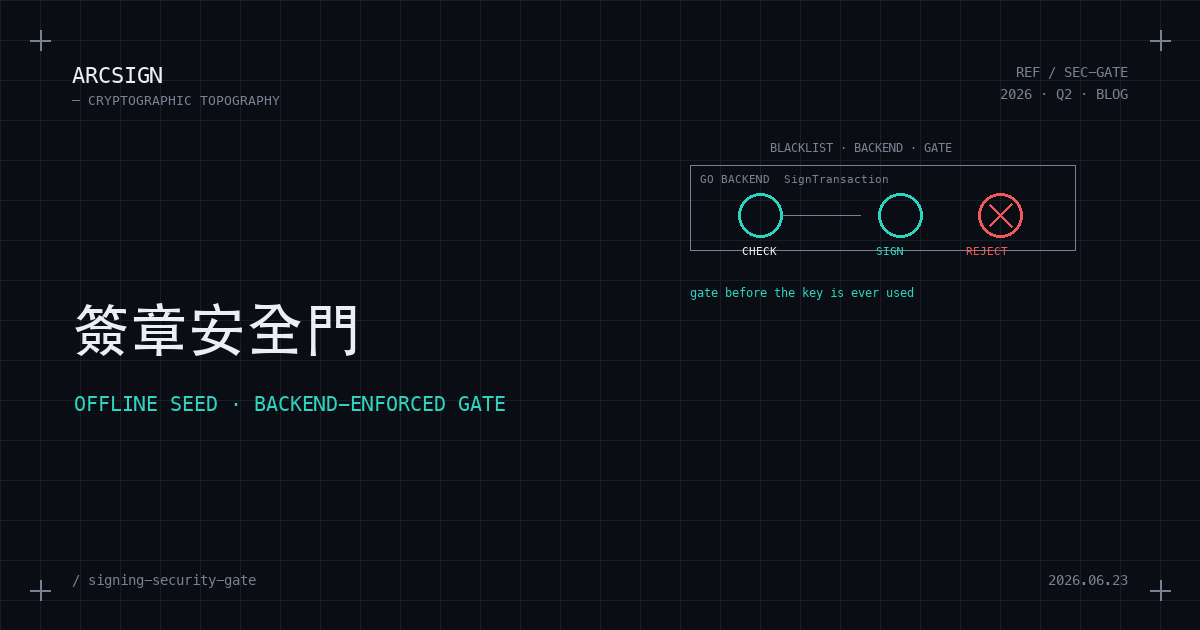
ArcSign v1.5.0 makes two changes to signing security: it moves the blacklist check out of Pro and gives it to everyone for free, and it relocates the real gate into the backend, before the private key is touched. This post unpacks the engineering and the reasoning behind both decisions.
In One Sentence
The malicious-address / OFAC blacklist check is now free for everyone and works offline (the seed is embedded in the app). When you sign a transaction to a blacklisted address, it’s the backend that refuses to sign — before touching the private key — unless you give explicit informed consent. The frontend checkbox is only a presentation layer, not the gate.
Why a Blacklist Should Not Be a Paid Feature
ArcSign’s transaction safety checks were originally made up of two parts: the blacklist check and transaction simulation. In v1.4.0, both sat behind the Pro paywall — free users got neither.
But these two things have completely different cost structures:
- The blacklist check is a pure in-memory lookup. Given an address, you check whether it appears in a list of known malicious / sanctioned addresses. Zero cost, no API key, no network.
- Transaction simulation has to call a third-party node to simulate the transaction’s outcome. It has a real cost and requires an Alchemy key.
Locking a zero-cost blacklist check behind a paywall makes no sense — it’s a baseline safety feature that everyone should have. So v1.5.0 moves the blacklist check out of the Pro gate, while simulation stays in Pro. A free user signing a transaction to an OFAC address now sees the full blacklist warning; only “simulate what this transaction would do” remains a Pro feature.
The Offline Seed: Works on First Launch, Even With No Network
If the blacklist is “baseline protection everyone should have,” then it can’t depend on “first download a list over the network” — otherwise you’d be exposed on first launch, or in an offline environment.
So v1.5.0 embeds a blacklist seed directly into the app (using Go’s go:embed), loaded synchronously at startup. This seed contains:
- OFAC sanctioned addresses (public-domain data)
- MIT-licensed malicious-address lists (reused from MEW’s ethereum-lists and Revoke’s approval-exploit-list)
This means the blacklist check works the very first time you plug in your USB, fully offline. Later, if a network is available, an online update fetches a more complete list and merges it in — note that it merges, not overwrites; the embedded seed always stays as the offline fallback.
(A licensing note: we deliberately use only MIT and public-domain sources. ScamSniffer’s GPL data is high quality, but its license is incompatible, so it’s excluded — license hygiene matters for an open-source project.)
The Most Critical Design Decision: The Gate Lives in the Backend, Not the Frontend
This is the single most important part of the feature, and also the easiest to get wrong.
An intuitive approach: put a “the destination address is blacklisted, are you sure you want to sign?” checkbox on the signing dialog, and disable the sign button until the user ticks it. This is wrong — or more precisely, it’s only UX, not a security guarantee.
Why? Because any frontend defense can be bypassed:
- by editing the JavaScript
- by calling the underlying FFI directly
- by some future code path that forgets to wire up the checkbox
A button’s disabled attribute won’t stop someone who genuinely wants to bypass it, and it won’t stop a buggy code path either. A security gate that is truly “architecturally impossible to bypass” must live in the backend, before the very line where the private key is used.
So ArcSign’s design is this: when you sign a transaction, the backend’s SignTransaction runs a blacklist check before touching the private key or deriving any keys. If the address hits the blacklist and you haven’t explicitly carried an “I understand the risk” flag, the backend simply refuses to sign — it returns an error and the private key is never touched.
  Signing request (with acknowledgedRisk flag, possibly false)
        │
        ▼
  ┌──────────────── Backend Go SignTransaction ─────────────┐
  │                                                          │
  │   Blacklist check (embedded seed, zero cost)             │
  │        │                                                 │
  │   Blacklist hit?                                         │
  │   ┌────┴─────┐                                           │
  │  No           Yes                                        │
  │   │             │                                        │
  │   │        acknowledgedRisk == true?                     │
  │   │        ┌────┴────┐                                   │
  │   │      Yes         No                                  │
  │   │        │           │                                 │
  │   ▼        ▼           ▼                                 │
  │  ── Derive key, sign ──   ✗ Reject (return error)        │
  │     (exposed 1–5ms)        private key never touched     │
  │        │                   │                             │
  └────────┼───────────────────┼─────────────────────────────┘
           ▼                   ▼
      Signed transaction   Frontend shows "I understand" checkbox
                              │ (user ticks → acknowledgedRisk=true)
                              └──→ Resubmit (flag threads back) → allow
The key thing is that the gate in this diagram lives entirely inside the backend box — the frontend checkbox only appears in the bottom-right corner. Its job is to produce the acknowledgedRisk flag and send it back to the backend, not to decide for itself whether to sign.
That frontend checkbox still exists, but its role has changed: it merely presents the backend’s conclusion (“this one needs confirmation”) to you, and carries your “I understand the risk” decision back to the backend. The frontend doesn’t judge whether something is dangerous (the backend computes that); it only reads the backend’s conclusion and renders it.
This is an iron rule that runs through the entire project: any judgment, decision, or gate that affects asset security lives in the backend; the frontend only reads backend conclusions and renders them.
Informed Consent: A Gate, but Not a Deadlock
“The backend refuses to sign” sounds hard, but if you make it too rigid it becomes a different problem: a user who is fully informed and genuinely wants to send (perhaps they have a legitimate reason to send to a flagged address) can never get the transaction through. That isn’t protection — it’s paralysis.
So this gate has an informed-consent escape hatch: when the blacklist is hit, the backend refuses to sign, but the frontend shows an explicit “I understand the risk” confirmation. Once the user ticks it, that acknowledgedRisk flag is carried all the way back to the backend, and seeing it, the backend lets the transaction through.
There’s an engineering trap worth noting here: this flag must thread cleanly through every layer — frontend → Rust command → Go FFI. If any single layer drops it, a blacklisted transaction turns into a “permanently rejected, won’t sign even when ticked” deadlock. During v1.5.0 development, we deliberately plumbed this through carefully to make sure the flag reaches the backend on every signing path (direct sends, WalletConnect, mint). The gate should be hard, but it must not become a dead end.
We Notify, but You Decide
It’s worth being clear about ArcSign’s stance here, because it goes to what a cold wallet should be.
When the blacklist is hit, ArcSign lays the information out in front of you, blocks by default, and asks you to explicitly confirm — but the final decision is yours. We don’t enforce an unbypassable block on behalf of any institution. Sanctions are sanctions and phishing warnings are phishing warnings; our job is to make sure you decide while informed, not to decide for you.
This is a design that respects user sovereignty. The essence of a cold wallet is “you are fully in control of your own assets” — if it could permanently stop you from moving your own money without your consent, it would betray that essence. So our security gate is “notify + informed consent,” not “mandatory block.”
A Unified Signing Path
One last related engineering improvement: v1.5.0 routes all message-signing paths (EIP-191 personal messages, EIP-712 typed data) through the same XOR-sharded secure signer. Before this, some paths handled the private key in plaintext form; now none of them do. The same security gate and the same key handling apply to every single path that touches the private key.
Why This Change Matters
The essence of a phishing attack is to get you to perform a harmful operation against a malicious address without realizing it. A blacklist check that gates in the backend, before you press sign, is the last and most reliable line of defense against this class of attack — because it stands in front of the private key before it’s used, and architecturally it can’t be bypassed.
Releasing it free for everyone means this line of defense is no longer a privilege of paying users. Baseline security should be baseline, by definition.
To see the rest of what shipped in this version, head back to the v1.5.0 release overview.