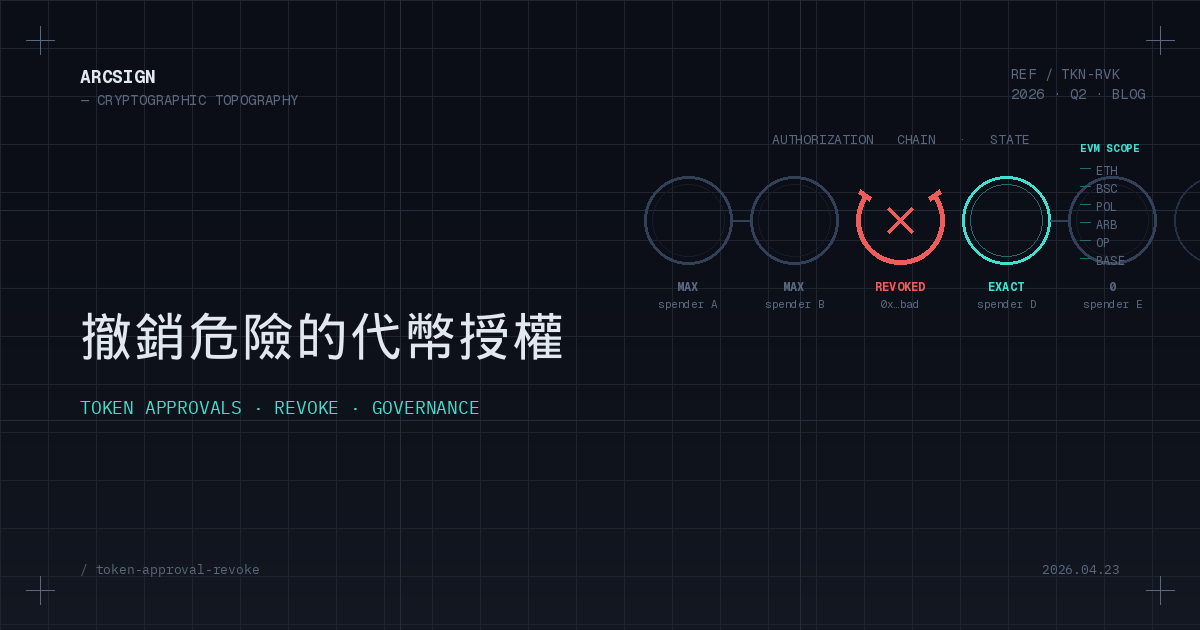
1. Why stale approvals are DeFi’s biggest silent bomb
Remember the December 2022 Uniswap Permit2 phishing wave, the March 2023 Euler Finance $197M loss, or the knock-on approval attacks that trailed the 2024 Curve reentrancy bug? They share a common thread: victims had long stopped using those contracts — yet never revoked the approvals. Once attackers found the vulnerability or gained control, a forgotten approval was all they needed to drain every victim’s wallet with a single call.
Chainalysis 2025 reports that approve- and permit-based exploits accounted for $1.2B in losses last year, with more than 70% of victims being ordinary users who had simply “forgotten to revoke,” not obvious beginners. An approval is like signing an open-ended draft slip and leaving it in someone else’s drawer — your wallet’s security is no longer fully in your hands the moment you click “approve.”
Core principle
Approvals are not “temporary.” ERC-20’s approve remains valid indefinitely until you explicitly revoke it or the balance hits zero. A
MaxUint256you signed today can still be triggered by a hacker three years from now.Cold wallet users often have a false sense of safety: “My private key lives on a USB, approvals aren’t my problem.” That’s wrong. Approvals aren’t granted to “your hot wallet” — they are granted to your address. Any asset sitting under that address, whether in cold storage, a hot wallet, or an exchange deposit address, can be swept by the contract.
2. How ERC-20 approve works in 3 minutes
The ERC-20 standard defines two functions that together power the entire approval mechanism:
// You call this: authorize a spender for a given amount function approve(address spender, uint256 amount) external returns (bool);
// The contract calls this later: move tokens on your behalf function transferFrom(address from, address to, uint256 amount) external returns (bool);
When you make your first USDC swap on Uniswap, what you really sign is not “swap” — it’s “allow the Uniswap Router to move USDC in my account”. The actual swap logic simply calls transferFrom behind the scenes. This pattern is what makes DEXs, DeFi, and NFT markets possible in the first place — and it is also the source of every approval-based risk.
Infinite allowance: the price of convenience
The vast majority of DApps default to MaxUint256 (2^256 − 1, an astronomical number). The reason is “sign once, never bother the user again” — genuinely convenient, but at a cost:
| Approval type | User experience | Gas cost | Risk exposure |
|---|---|---|---|
| Exact | Re-approve before every swap | High (~$2–5 each time) | Lowest |
| Partial | One-time bulk approval, top up as needed | Medium | Medium (depends on remainder) |
| Infinite | Sign once, never again | Lowest | Highest (full asset exposure) |
| Permit (EIP-2612) | Gas-less off-chain signature | Zero (with meta-tx) | Depends on signature scope |
Most users click “approve max” without thinking. Then one late night, the contract upgrades with a bug or a dev key leaks, and every drop of USDC is gone. That’s precisely the scenario we walked through in How to Revoke Token Approvals.
3. Four real cases: how approval exploits drained wallets
1. Uniswap V1 legacy LP tokens (2024)
Some users provided liquidity on Uniswap V1 back in 2018–2019 with infinite approvals. In 2024, an integer overflow was discovered in a legacy router. Attackers used these “zombie approvals” to drain approximately $3.2M across 900+ wallets. Most victims assumed the contract was “long dead.”
2. Multichain Bridge multi-chain approvals (2023)
After Multichain admin keys leaked, attackers used previously approved bridge contracts on ETH, BSC, and Arbitrum to pull $125M from user wallets. What made this case alarming: many victims had already stopped using Multichain in 2022 but never revoked a single approval.
3. Inferno Drainer family (2023–2024)
A crime-as-a-service platform purpose-built for approve / permit phishing — fake NFT mint pages, bogus airdrop claims, phony “wallet upgrade” prompts, you name it. By the time law enforcement took it down in November 2024, it had hit 137,000+ victims for $87M. Most attacks ended with the user signing approve(attacker, MaxUint256) or an EIP-2612 permit.
4. Vyper compiler bug → Curve approval fallout (2023)
After the Vyper reentrancy bug hit certain Curve pools, aggregators like Yearn and Convex faced cascading exposure. Even once the main funds were recovered, user approvals to those aggregators did not automatically expire, and small-scale cleanup attacks continued for weeks.
Shared lesson
“I don’t use that contract anymore” ≠ “that contract can’t touch my money.” Until you actively revoke, the approval is still live — and attackers are usually more patient than you are.
4. Building your approval risk matrix
Just listing “all approvals” isn’t useful — a heavy DeFi address can have hundreds. What matters is systematic triage so you tackle the worst first. ArcSign’s built-in approval manager auto-classifies each approval with a three-color risk label:
| Tier | Trigger (any one is enough) | Recommended action |
|---|---|---|
| 🔴 High risk | • Infinite MaxUint256 | |
| • Contract inactive 90+ days | ||
| • Unaudited / TVL | ||
| 1. Open the Token Approvals page |
Plug in USB → unlock ArcSign → sidebar → Token Approvals. ArcSign reads the currently selected address and chain, and scans all live approve records (ERC-20 and ERC-721 setApprovalForAll). Scanning runs through free-tier Alchemy API; signing never leaves the USB.
2. Review the risk tiers
Each row shows a color label — red, yellow, or green. Expanding a row reveals: spender address, contract name, remaining allowance, last-active timestamp, audit status, and exploit-history flags. Focus on red first, yellow second, leave green alone for now.
3. Revoke (Free tier: one by one)
Click Revoke next to any approval. ArcSign builds an approve(spender, 0) transaction → signs it offline inside the USB (the private key is reassembled from three XOR shards for 1–5 ms, then wiped) → broadcasts. ArcSign suggests EIP-1559 gas; you just confirm.
4. Verify on-chain
Once confirmed (typically 15–30 s), ArcSign rescans and marks the row ✓ Revoked. You can also jump to Etherscan with one click to verify allowance = 0. The contract’s authority over your tokens is fully withdrawn.
The cold wallet edge
Tools like revoke.cash and Etherscan’s Token Approval Checker essentially ask you to plug your hot wallet into a third-party front-end. ArcSign puts the same capability inside the cold wallet itself — signing stays offline, the private key never touches the internet, and phishing front-ends don’t even get a chance to show up.
6. Advanced: Pro batch revoke & gas optimization
If you have 15–50 approvals to clean up, paying gas one-by-one is brutal. ArcSign Pro (NFT membership) unlocks Batch Revoke:
| Capability | Free tier | Pro tier (batch) |
|---|---|---|
| Approvals per action | 1 / transaction | Up to 30 / transaction |
| Avg. gas for 30 revokes | ~$45–90 | ~$8–15 (60–80% cheaper) |
| Signatures required | 30 signatures | 1 signature |
| Cross-chain workflow | One chain at a time | Unified UI across 6 EVM chains |
| Audit export | — | CSV / PDF quarterly reports |
Pro membership is issued as an NFT on the BNB chain via the ArcSign NFT Membership contract — one-time purchase, lifetime access. See ArcSign Pro NFT Membership Explained.
Gas optimization tips
Whether Free or Pro, two habits can shave another 20–40% off the bill:
Timing + chain selection
Timing: Weekend 2–6 AM UTC is usually the cheapest window on L1. ArcSign’s built-in Gas Tracker flags when “now is a good moment.” Chain selection: If the same approval can be revoked on an L2 (Arbitrum / Optimism / Base), always prefer L2 — gas can be 1/10 to 1/50 of L1. Batch old L1 revokes together during a gas trough.
7. Long-term governance: the quarterly approval audit SOP
“Revoke” is a single action — but asset security is an ongoing discipline. Treat approval management like tax prep: 30 minutes, once a quarter.
Q1 — Full inventory (end of Mar / Jun / Sep / Dec)
Open ArcSign → iterate every active chain → export a snapshot of current approvals (Pro: CSV export). Record totals per tier (red / yellow / green).
Q2 — Zero out the reds
Revoke every red approval without exception. If you still need that contract, re-approve with an Exact amount — never leave it as Infinite.
Q3 — Downgrade the yellows
Convert yellow approvals from Infinite to Exact. If the contract hasn’t been used in 90+ days, reclassify it as red and revoke.
Q4 — Maintain a personal allowlist
Pin the 3–5 protocols you genuinely use (e.g. Uniswap, Aave, Lido) into ArcSign’s allowlist + activity reminders (auto-ping after 90 days idle). Default everything else to a “revoke after each session” policy.
Address Book integration
Once you add protocols to ArcSign’s Address Book, the approval manager replaces raw contract addresses with human-readable names — auditing 50 approvals in 10 minutes becomes easy. See the upcoming ArcSign Address Book guide.
FAQ
Q: Why can a single approve transaction cost me all my tokens?
Because ERC-20’s approve is a standing authorization, not a one-shot signature. If you grant an infinite allowance (MaxUint256), that smart contract can call transferFrom at any point in the future to move all of your tokens — even if the contract gets hacked, upgraded to a malicious version, or has its admin key stolen. That’s why unused approvals must be revoked promptly.
Q: Revoking costs gas. Is it worth it?
Each revoke costs about $0.5–$3 on Ethereum L1 (cheaper on L2s). If that protects a wallet worth 100–1000x the gas spend from being drained later by a contract exploit, absolutely. ArcSign Pro batches up to 30 revokes into one transaction, cutting gas 60–80%.
Q: How is ArcSign’s approval manager different from revoke.cash?
revoke.cash is a web tool requiring you to connect a hot wallet to a third-party front-end. ArcSign puts full approval management inside the cold wallet UI — every revoke is signed offline by the USB-held private key, bypassing DApp phishing and WalletConnect MITM risks. It also covers 6 EVM chains, auto-flags infinite approvals, and shows last-active timestamps — completely free.
Q: Which approvals should I revoke first?
In order: (1) infinite approvals to contracts you haven’t touched in 90+ days; (2) approvals to unaudited, low-TVL, or freshly deployed contracts; (3) approvals to protocols with known exploit history; (4) approvals to bridges or liquidity pools you’ve already exited; (5) any approval to a contract address you cannot recognize. ArcSign’s risk matrix auto-colors them red / yellow / green so you can triage at a glance.