Why Private Key Management Is the Core of Crypto Security
In the world of cryptocurrency, “Not your keys, not your coins” isn’t just a catchy slogan — it’s a lesson written in billions of dollars of losses. From Mt. Gox to FTX, from exchange collapses to insider embezzlement, history has proven repeatedly: entrusting your assets to someone else means putting your fate in their hands.
But self-custody isn’t a silver bullet either. If your private key management has gaps — screenshots stored in the cloud, plain-text notes on a connected device, or signing transactions on a compromised computer — you may face even greater risks than exchange custody. According to Chainalysis, losses from personal private key compromises exceeded $1.2 billion in 2025, most of which were preventable.
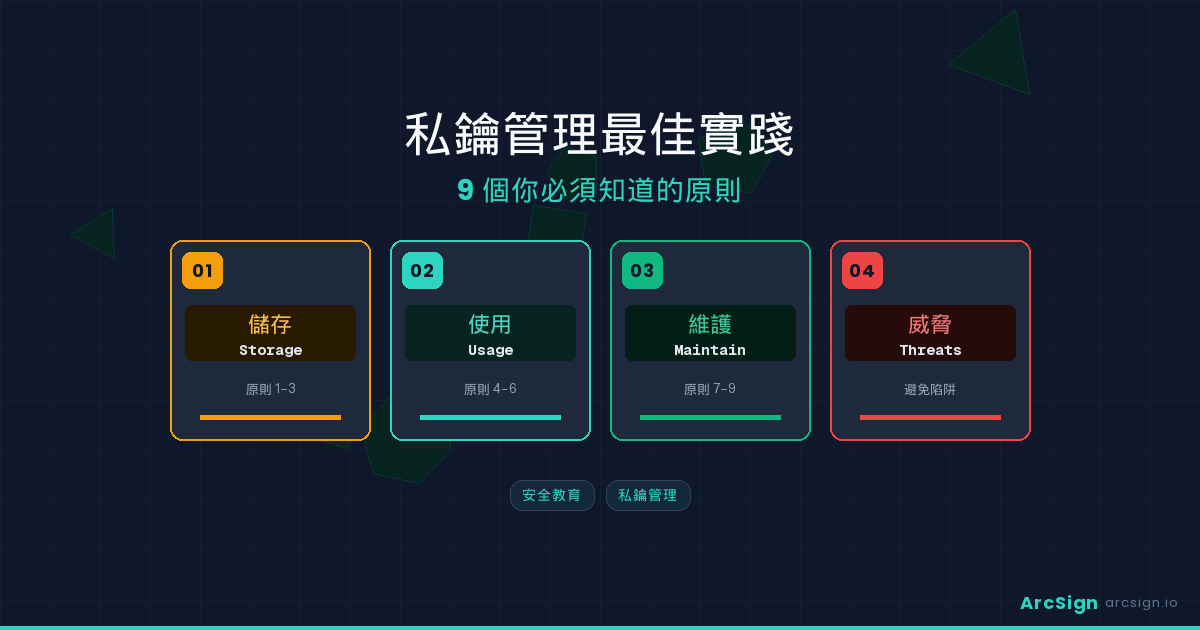
This article outlines 9 critical principles for private key management, covering storage, usage, and long-term maintenance. Whether you’re a beginner or an experienced crypto user, these principles are worth reviewing one by one.
Core Concept
Private key management isn’t a one-time action — it’s a continuous security practice. Proper management covers three dimensions: storing securely, using securely, and maintaining securely. A failure in any single area can lead to permanent asset loss.
Principles 1-3: Storage Security — Where Your Keys Should Live
Principle 1: Always Use Offline Storage
This is the most fundamental and important principle. Your private keys should never exist on an internet-connected device. cold storage eliminates the possibility of remote attacks — hackers can’t breach a device that isn’t connected to the network.
Common offline storage options include hardware wallets and USB cold wallets. ArcSign uses your own USB drive as a cold storage device, keeping all private keys stored in XOR three-shard encrypted format on the USB — never touching the network. Compared to proprietary hardware wallets, USB cold wallets let you choose your own device, require no trust in specific manufacturers, and are completely free.
Practical Tip
When using ArcSign, only insert the USB when you need to sign a transaction. The rest of the time, store it in a safe offline location (a drawer, safe, or lockbox) — never leave it plugged into your computer.
Principle 2: Create Multiple Backups
Even the best storage solution is vulnerable if there’s only one copy. Your USB could be damaged, lost, or stolen. The 3-2-1 backup strategy is the industry standard: at least 3 copies, on 2 different media types, with 1 stored offsite.
ArcSign Provides two backup methods: a 12-word seed phrase (BIP-39 standard, recoverable in any compatible wallet) and the exclusive .arcsign encrypted backup file. The latter is encrypted on export (AES-256-GCM + Argon2id) — even if someone obtains the file, they cannot decrypt it. Store your .arcsign backup on a second USB as an offline backup, and keep your seed phrase sealed on paper in a separate physical location.
Principle 3: Encrypt Your Backups
Many people create backups but overlook the security of the backup itself. A seed phrase written on paper is exposed if anyone sees it. A cloud-synced backup file without encryption is fully exposed if your account is compromised.
A backup isn’t secure — an encrypted backup is secure. ArcSign’s .arcsign backup file is encrypted the moment it’s exported, with no additional password setup or encryption steps required. This is a design advantage — it eliminates the possibility of “forgetting to encrypt.” If you choose to store your seed phrase on paper, place it in a waterproof, fireproof sealed container and store it in a location known only to you.
Principles 4-6: Usage Security — Protecting Keys During Transactions
Principle 4: Minimize Private Key Exposure Time
Even when your private key lives on an offline device, it still needs to briefly appear in memory during transaction signing. The shorter this exposure window, the lower the chance of interception by malicious software.
ArcSign’s architecture pushes this to the extreme: from XOR three-shard reassembly to signing completion to memory zeroing, the entire process takes just 1-5 milliseconds. Combined with mlock memory protection, private keys are prevented from being swapped to disk by the operating system during this brief window, dramatically reducing interception risk.
Principle 5: Verify Every Transaction Detail
clipboard hijacking is one of the most common crypto theft methods today. Malware silently replaces the address you copied with the attacker’s address. If you confirm without double-checking, your assets are gone forever.
Build the habit: before every transfer, verify at least the first 6 and last 6 characters of the destination address. When using ArcSign’s WalletConnect feature to interact with DApps, carefully review the transaction details the DApp requests you to sign — especially approval transactions, checking both the target contract and the authorized amount.
Principle 6: Manage and Limit Token Approvals
Many people don’t realize that DeFi interactions often grant third-party contracts unlimited token access. Even after you stop using a DApp, the approval remains active. If the contract is hacked or has a vulnerability, all your approved tokens can be drained.
ArcSign includes built-in Token Approval management, letting you see which contracts hold your approvals and their limits. Regularly reviewing and revoking unnecessary approvals is a critical part of key management. ArcSign Pro members can batch-revoke across 6 EVM chains at once (view Pro pricing).
High-Risk Approval Warning
If you’ve ever granted “Unlimited” approval to a DeFi contract, consider revoking immediately and re-approving with a precise amount. Unlimited approvals are the root cause behind many major DeFi exploits that drained large amounts of user funds.
Principles 7-9: Long-Term Maintenance — Sustaining Key Security Over Time
Principle 7: Regularly Verify Your Backups
A backup that doesn’t work when you need it is the same as no backup. USB drives have lifespans; paper can fade or get water-damaged. Every 6 months is a reasonable verification frequency.
Here’s how: install ArcSign on another computer, import your .arcsign backup, and confirm all wallets and addresses recover correctly. Delete the test environment afterward. This drill takes just 10 minutes but ensures you won’t panic in an emergency.
Principle 8: Keep Your Software Updated
Security isn’t static — new attack vectors and vulnerabilities are discovered constantly. Running the latest wallet software ensures you’re protected by the most recent security patches. ArcSign supports OTA automatic updates via Tauri Updater, notifying you when a new version is available.
Keep your operating system updated too. Many attacks exploit OS-level vulnerabilities, not the wallet software itself. A properly updated computer running the latest ArcSign version is a fundamental security baseline.
Principle 9: Plan for Inheritance
This is the most overlooked aspect, yet critically important: if something happens to you, can your family recover these assets? Crypto has no banks, no customer service, and no automatic estate transfer. If only you know where the keys are, your assets could be lost forever.
The recommended approach: prepare a sealed “inheritance guide” explaining where your crypto assets are stored and how to use ArcSign and the .arcsign backup to recover wallets. Give it to a trusted family member or attorney, along with the physical location of your USB backups. You don’t need to write the seed phrase in the guide — just explain where it’s stored.
Inheritance Security Tip
Use an “information separation” strategy: one trusted person knows you have crypto assets and the recovery steps; another knows the physical location of backups. Neither knows the other’s information. This prevents single-point trust risks.
Key Management Solutions Compared
Here’s how common private key management approaches compare across key dimensions:
| Method | Offline Storage | Encryption | Memory Protection | Backup Convenience | Cost |
|---|---|---|---|---|---|
| Exchange Custody | No | Varies | N/A | Account recovery | Free |
| Software Hot Wallet | No | Password only | None | Seed phrase | Free |
| Hardware Wallet | Yes | Secure element | Hardware isolation | Seed phrase | $79-$199 |
| Paper Wallet | Yes | None | N/A | Manual | Free |
| ArcSign USB Cold Wallet | Yes | XOR 3-shard + AES-256 | mlock protection | .arcsign one-click backup | Free |
ArcSign is currently the only free cold wallet solution that simultaneously provides offline storage, multi-layer encryption, memory protection, and convenient backup. No need to spend $100+ on a hardware wallet — your existing USB drive can achieve the same or even higher security level.
Private Key Management Checklist
Based on the 9 principles above, here’s an actionable checklist. Review it quarterly to ensure your security posture hasn’t degraded:
1. Offline Storage Confirmed
Are your private keys stored on an offline device? Have they never appeared on an internet-connected device? ArcSign users: is your USB properly stored offline when not in use?
2. Backup Integrity
Do you have at least 2 backup copies? Is the paper seed phrase intact? Can the .arcsign backup file be successfully imported?
3. Approval Audit
Are there expired or unnecessary token approvals? Use ArcSign’s approval management to revoke all unnecessary smart contract permissions.
4. Software Version
Are ArcSign and your OS up to date? Are there pending security updates waiting to be installed?
5. Inheritance Plan
Do you have an executable inheritance plan? Does a trusted family member or attorney know how to access your backups?
Frequently Asked Questions
Q: What’s the relationship between private keys and seed phrases? Is protecting my seed phrase enough?
A seed phrase is the root seed used to derive all your private keys. Protecting it is the first step, but not sufficient — you also need to ensure private keys aren’t intercepted during use (e.g., when signing transactions). ArcSign’s XOR three-shard encryption plus mlock memory protection specifically addresses “in-use security.”
Q: Is it safe to store private keys in a password manager?
Password managers like 1Password and Bitwarden are much safer than plain text files, but they’re designed for managing passwords, not crypto keys. Key risks include: they run on internet-connected devices, a compromised master password exposes everything, and they can’t provide memory protection during signing. Use a dedicated cold wallet for private keys; keep password managers for regular passwords only.
Q: Do I need strict key management even for small crypto holdings?
Yes. A compromised private key is permanent, and crypto values can grow significantly over time. Assets worth $1,000 today could be worth $10,000 next year. Building good key management habits costs nothing (ArcSign is free), but negligence could cost everything. Start with proper security from day one.
Q: Should I use ArcSign’s .arcsign backup or seed phrase backup?
Both. Your seed phrase is the ultimate recovery method (compatible with all BIP-39 wallets), while the .arcsign backup is more convenient (one-click import with all wallets and settings). The .arcsign file is encrypted on export (AES-256-GCM + Argon2id). Best practice: store seed phrase on sealed paper + .arcsign backup on a second offline USB. See our Seed Phrase Backup Guide and USB Backup Strategy for details.
🔐 ArcSign Security Team — Cryptography & Wallet Security Research
The ArcSign Security Team specializes in HD wallet architecture, private key cryptography, and cold storage security. Our research underpins the XOR three-shard encryption system at the core of ArcSign. Read our security whitepaper for full technical details.